
Zoomtopia 2026 Fills In the Layers Between Conversation and Completion
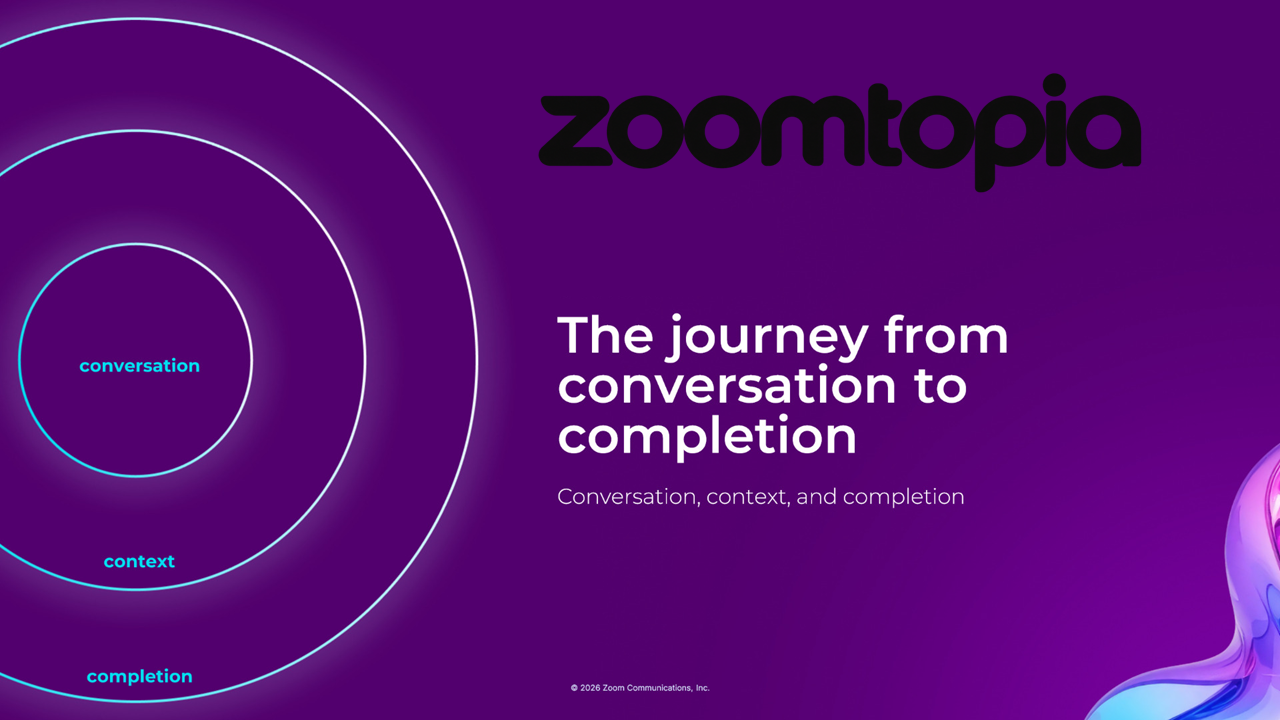 Zoom dropped a lot of announcements at Zoomtopia 2026. The thread is that a single AI-capable platform facilitates modern workflows, or what Zoom calls Conversation to Completion. The company introduced or expanded capabilities across meetings, rooms, notes, contact center, revenue, events, security, governance and developer services. Zoom intends to leverage AI to disrupt both enterprise communications and itself. It is redefining the modern communications and collaboration suite at breakneck speed.
Earlier this year, Zoom introduced us to its Conversation to Completion vision. These new Zoomtopia announcements fill in the space between those two words. Conversations might happen in person, in a meeting, in a chat, or on a call; regardless, Zoom wants to facilitate what comes next with a three-layer approach: Conversation, Context, and Completion, and the latest announcements add meaningful new capabilities across all three.
Conversation Is the Input Layer
The premise is straightforward: it starts with a conversation. Everything that happens later depends on accurately capturing what was said and what was meant. For example, going beyond the transcript in a meeting includes capturing shared content.
Zoom is also continuing to improve the meeting experience itself. Translate Me can deliver translated audio while preserving the original speaker’s voice through voice cloning. Pose Correction uses on-device AI to minimize the distraction of glancing at another display, while Touch Up My Voice is designed to improve quality. A new Live Meeting Agent can privately provide information and guidance during a meeting.
The company is also expanding its room interoperability, including the ability to turn supported Cisco hardware into native Zoom Rooms, and an enhanced Microsoft Teams meeting experience. Individually, these are useful enhancements. Together, they strengthen the first stage of everything Zoom wants its AI to do later by improving the quality of the raw conversational data it captures.
My Notes Makes the Capture Story Much Bigger
Zoom is broadening the definition of what constitutes a conversation with My Notes. What comes after meeting transcription and AI-generated summaries? My Notes is increasingly becoming a capture mechanism for conversations wherever they happen. That includes Zoom Meetings, Zoom Phone and Zoom Rooms, but also meetings on third-party platforms and conversations that never occur inside a formal collaboration application at all.
Zoom is adding a dedicated My Notes application designed to make capturing mobile, offline and in-person conversations easier, while also working with hardware partners that can capture conversations away from the PC or conference room. That may turn out to be one of the more important pieces of the strategy because people spend an enormous amount of their working lives talking outside scheduled meetings. They talk over lunch, at conferences, during customer visits, on phone calls and around tables, so in order to be part of the workflow, the tech has to be portable.
Suddenly, consumers and enterprises are embracing portable devices that can capture conversations, transcribe them, and make the information available later. Instead of making its own device, it’s partnering with device makers so more conversations can be transcribed and summarized. Zoom’s opportunity is to bring that information into the same environment as everything it already knows from meetings, phone calls, rooms, and team chats.
Zoom is also adding capabilities that further change the nature of meetings themselves. Follow the Meeting is particularly interesting because users will be able to have My Notes follow a meeting they were invited to and receive their own transcript and summary even if they missed the meeting.
Zoom also plans to capture information shown on shared screens and associate those images with the exact point in the transcript where they appeared. That solves references that can’t be seen on a transcript. Capturing the words, speaker, timing and visual context together creates a much more complete representation of what actually happened.
The result is that a meeting stops being merely an event that occurred at 10:00 Tuesday morning. It becomes a persistent package of organizational knowledge, and Zoom increasingly wants the same thing to happen with conversations that took place outside the meeting.
Conversations need to include interactions between people and AI assistants. A person may ask an assistant to research something, summarize a situation, or initiate a task, and those AI systems may then interact with other systems and agents. Increasingly significant portions of some workflows may eventually involve AI systems communicating with one another, with a human entering the process only when judgment, authorization, or exception handling is required.
Context Is Where Zoom’s Story Gets Stronger
After capturing the conversations, Zoom intends to understand them. The centerpiece of the context layer is the Unified Context Layer. AI models already contain general knowledge, but enterprises have their own languages. Zoom intends to learn them from existing sources, such as CRM systems, ticketing platforms, documents, email, calendars, and other business applications.
Someone makes a decision during a meeting. A customer reveals the real problem during a phone call. A salesperson learns something important over lunch. A technician explains a workaround in a hallway. An employee tells an AI assistant about a problem that has never been formally documented anywhere else. That information can be valuable, but is usually lost.
Zoom wants to put it into the pool. Its Unified Context Layer is intended to combine general knowledge, existing documented knowledge and the dynamic information generated through conversations. Zoom describes a near-real-time graph connecting people, topics, relationships and decisions.
The bigger idea is straightforward. Instead of having the knowledge generated in meetings over here, phone calls over there, notes from an in-person recorder somewhere else and business data sitting in another application, Zoom wants those sources to contribute to a common understanding of what is happening.
That makes the company’s story considerably stronger. The value is no longer simply that Zoom can transcribe a meeting. The value is that Zoom may be able to understand that meeting in relation to dozens of other conversations, documents, customer interactions and business systems. A transcript is useful, a summary is better, but a unified body of context that grows every time the organization communicates is something different.
Once Zoom has captured all of this information and established context around it, the third layer is Completion. This is where AI stops merely telling someone what happened and begins helping make something happen.
Zoom’s definition of completion is useful. A customer support interaction is not complete because the call ended. It is complete when the customer’s problem is resolved. A sales call is not complete because the CRM record contains an AI-generated summary. It is complete when the next steps actually happen. A project meeting is not complete because everyone received action items. It is complete when the work is done.
That distinction is becoming central to Zoom’s AI strategy. In CX, Actions within CX Insights can identify patterns and recommend next steps, while Executive Briefs can turn those findings into material intended for management. The Customer Workflow Orchestrator can extend activity into CRM, ITSM, HR and operational systems. Zoom’s revenue products are gaining capabilities to enrich account information, identify additional decision-makers, recognize buying signals and trigger workflows, while its event products can use AI to create event structures and turn event recordings into new content.
Zoom is also making more of its capabilities available to external AI systems through its MCP servers. That may ultimately be essential to the strategy because if Zoom becomes the place where a significant amount of an organization’s conversational knowledge comes together, it does not necessarily need to be the application performing every resulting action. Other agents and enterprise systems can potentially use that context too.
The important thing is that the information captured from all of those conversations is available when the next system needs it. Conversation creates the data, Context gives the data meaning, and Completion turns that meaning into action.
Trust Has to Surround All of It
There is, of course, an obvious issue with capturing an increasing percentage of an organization’s conversations. Some of the most sensitive information in any enterprise is spoken rather than written.
Zoom is therefore also expanding the controls surrounding this architecture. Deepfake Risk Detection is designed to identify potentially synthetic audio and video. Sensitivity Labels can classify information and apply appropriate policies. AI Guardrails are intended to enforce organizational rules around what AI systems can do, while Centralized AI Management gives administrators broader visibility and control over agents and their access.
These are not really a separate fourth layer. They are becoming necessary controls around the other three because the more conversations that are captured, the more valuable the resulting context becomes. And the more valuable it becomes, the more important it is to control who – or what – can access it.